Your weather station's cloud, in your own home.
fauxcloud is free, open-source firmware (GPL-3.0-or-later). Your weather station uploads to it instead of the cloud. No soldering: you install it on an ESP32 board from your browser.
- No internet needed. Nothing leaves the house.
- Online services and airport weather, if you want them. Off by default.
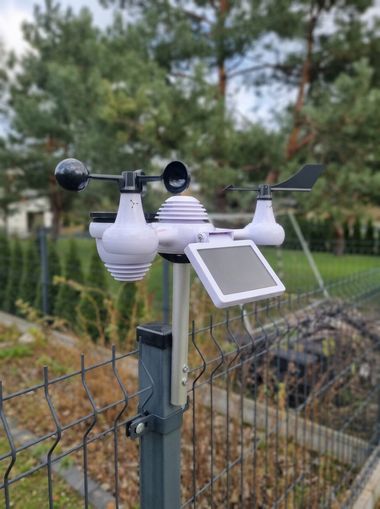
Works with Weather Underground-compatible stations. Will it work with mine?
What you get
A dashboard on your network
Live values, today's charts and the history of every measurement, at fauxcloud.local.
Home network only.
History
Hourly records for over three months, daily records for two years. Export to CSV.
One console per ESP32-WROOM-32 board.
Local outlook
The weather now and where it is heading, from your station's own readings.
Not a forecast.
Home Assistant
Wind, gust, rain and pressure as entities that Home Assistant finds by itself (MQTT discovery). A quiet station shows as unavailable.
Needs an MQTT broker (a small message server).
Online weather services
Send your readings to Weather Underground, Windy and others, over HTTPS.
Off until you turn it on.
Airport weather
The latest report and forecast from an airport you choose, next to your readings.
Off until you turn it on.
Updates from the browser
Install from this site over USB; later updates from Settings, with rollback.
Installing needs Chrome or Edge on a computer.
No account, no app, no subscription.
Your readings stay at home and stay yours.
Optional, with internet
Both stay off until you turn them on in Settings.
Send your readings to online services Off by default
Weather Underground, Windy, WOW-BE, PWSweather or any Weather Underground-compatible server.
Your station on their maps and pages, sent over HTTPS.
Show airport weather Off by default
Want the weather at the nearest airport too? fauxcloud shows its official report and forecast right next to your own readings.
Handy for checking your station, and for setting its pressure.
Works with Weather Underground-compatible stations.
If your console's setup page has a Weather Underground box, it may work (not tested yet; a console report tells us). If it pairs only through an app, it will not.
Vevor 7-in-1, model YT60234Verified
Consoles with the same setup page may work; consoles that pair only through an app or upload only over HTTPS will not.
See the full list, or report your console. The board it runs on: ESP32-WROOM-32 DevKit.
Click through it now, no board needed.
On your network it is the same page at fauxcloud.local, and you can pin it to your phone. It runs on the board, so it keeps working when the internet does not.
This is the real dashboard and settings page, running on demo data in your browser. Nothing you change is saved.
- Tap a tile for its history and charts.
- Pick a day in the demo bar: a frosty night, a thunderstorm, snow.
- Open the settings: every sheet, signed in.
Demo data, not a real station.
What you need
- An ESP32-WROOM-32 board4 MB flash, about €5. One console per board. Board notes
- A USB data cableOne that carries data, not only charge.
- Chrome or Edge on a computerTo install fauxcloud from this site. No tools to set up.
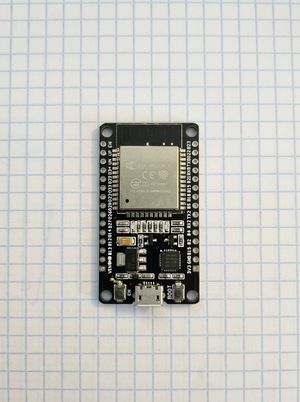
Flash it. Print a case. Done.
- Flash itFrom this site, over USB. No soldering.
- Print a caseA two-part case for the DevKit, about 14 g of PLA. The bare board works the same without it.
- DoneA finished weather bridge on your shelf, next to the router.

Printed cases. Print the case
Start from where you are
My station stopped making sense
Temperature stuck, rain not counting, the display shows dashes. Find out which part went quiet.
TroubleshootingMy console never got online
The console's setup Wi-Fi (AP) never appears, or the cloud says offline. fauxcloud gives the console its own network to upload to.
Pair the consoleI use Home Assistant
Wind, gust, rain and pressure as local entities, with availability, ready for automations.
See the entities